

How to Write a Software Requirements Document (SRD)
Bad requirements are the #1 reason software projects go over budget. Here's how to write a requirements doc that keeps your project on track — even if you're not technical.
Writing an SRD: The Blueprint for Dev Success
Every software project that goes over budget has one thing in common: bad requirements.
Not bad developers. Not bad technology. Bad requirements. Vague scope. Unwritten assumptions. Features described in three words that take three months to build.
If you're about to hire a development team, the single most important thing you can do is write a clear requirements document. Here's how — even if you've never written one before.
What a Requirements Document Actually Is
It's not a 50-page technical specification. It's a clear description of what your software should do, written in plain language, organized so developers can estimate time, cost, and complexity accurately.
A good requirements doc answers three questions:
- Who is using this? (Users, roles, personas)
- What should they be able to do? (Features, workflows, actions)
- What does success look like? (Expected outcomes, metrics, acceptance criteria)
That's it. You don't need UML diagrams. You don't need pseudo-code.
The Simple Template
Section 1: Project Overview (1 paragraph)
What are you building and why? Keep it short.
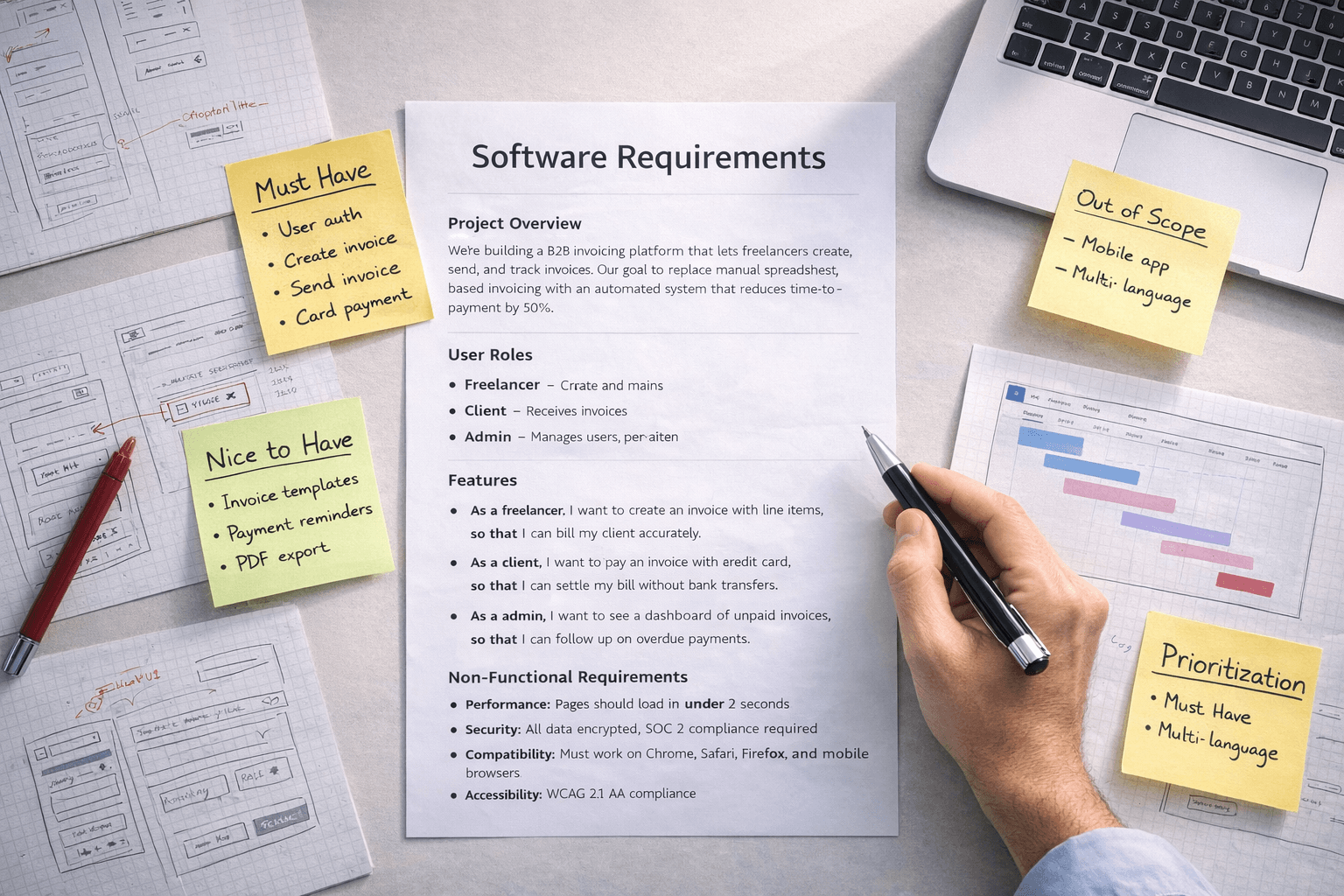
"We're building a B2B invoicing platform that lets freelancers create, send, and track invoices. Our goal is to replace manual spreadsheet-based invoicing with an automated system that reduces time-to-payment by 50%."
Section 2: User Roles
List every type of person who will use the system:
- Freelancer — Creates and sends invoices, tracks payment status
- Client — Receives invoices, makes payments
- Admin — Manages users, views analytics, handles disputes
Section 3: Features as User Stories
This is the most important section. Write features as user stories:
Format: "As a [role], I want to [action], so that [benefit]."
Examples:
- "As a freelancer, I want to create an invoice with line items, so that I can bill my client accurately."
- "As a client, I want to pay an invoice with a credit card, so that I can settle my bill without bank transfers."
- "As an admin, I want to see a dashboard of unpaid invoices, so that I can follow up on overdue payments."
Why this works: It forces you to think about who benefits and why — not just what buttons to add.
Section 4: Prioritization
Use MoSCoW to rank every feature:
| Priority | Features |
|---|---|
| Must Have | User auth, create invoice, send invoice, card payment |
| Should Have | Invoice templates, payment reminders, PDF export |
| Could Have | Multi-currency, recurring invoices, client portal |
| Won't Have (V1) | Expense tracking, tax calculation, team collaboration |
This tells your dev team exactly what to build first — and what to ignore until later.
Section 5: Non-Functional Requirements
These are the "how" behind the "what":
- Performance: Pages should load in under 2 seconds
- Security: All data encrypted, SOC 2 compliance required
- Compatibility: Must work on Chrome, Safari, Firefox, and mobile browsers
- Accessibility: WCAG 2.1 AA compliance
Section 6: What's Explicitly Out of Scope
This is surprisingly important. List what you are not building:
- ❌ Mobile native app (web only for V1)
- ❌ Integration with accounting software (future phase)
- ❌ Multi-language support
This prevents scope creep and protects both you and your dev team from vague expectations.
Mistakes That Kill Projects
❌ Describing features as solutions instead of problems.
Bad: "Add a dropdown menu with filter options."
Good: "Users need to find invoices by date range, status, and client name."
Let the developers design the UI. You describe the problem.
❌ Assuming your dev team knows your industry.
They don't. If "net-30 payment terms" is standard in your business, explain it. Don't assume technical people understand your domain.
❌ Writing a 60-page document nobody reads.
Keep it under 10 pages. Use bullet points. Use tables. If you can't explain a feature in 2–3 sentences, you don't understand it well enough yet.
❌ Skipping the "out of scope" section.
Without it, every stakeholder adds "just one more thing" and your $40K project becomes $80K.
How This Saves You Money
Projects with clear requirements come in 20–30% under budget compared to projects with vague scope. Here's why:
- Developers give tighter estimates when they know exactly what to build
- Fewer change requests = fewer billable hours for revisions
- QA can test against specific criteria instead of guessing
- You and your team align early, avoiding expensive late-stage pivots
Need help turning your idea into a clear requirements doc? MAGEHIRE offers free discovery sessions where we help you scope your project properly — before a single line of code is written.
Related expertise: Scale your product with our Backend Engineering and B2B SaaS Development services.
What is Writing an SRD?
This solution focuses on solving core business challenges through strategic technical implementation. At its heart, it leverages modern engineering to drive operational efficiency and scalability.
How it Works
Magehire follows a rigorous 4-step methodology to ensure delivery excellence:
- Discovery: Mapping business goals to technical requirements.
- Architecture: Designing scalable, future-proof systems.
- Agile Build: Iterative development with transparent progress tracking.
- Launch & Scale: Strategic deployment and continuous optimization.
Primary Use Cases
- B2B SaaS: Building multi-tenant platforms with complex permission logic.
- Enterprise Modernization: Transitioning legacy systems to modern cloud infrastructures.
- AI Integration: Automating repetitive workflows to reduce operational overhead.
Cost and ROI Analysis
Investing in professional development is about long-term value. While initial costs range based on scope, the return on investment (ROI) is realized through reduced maintenance costs, improved user adoption, and the ability to scale without technical debt blocks.
When to Choose This Solution
Choose this approach when your business requires a high degree of customization, reliability, and technical leadership that generic off-the-shelf solutions cannot provide.
?Frequently Asked Questions
Keep Reading
Explore more insights from our team

Etched Hits $5B Valuation and $1B Sales in AI Chip Market
Etched emerges as a formidable rival to Nvidia, achieving a $5 billion valuation and $1 billion in sales, reshaping the AI chip landscape.
How to Automate Business Processes With LLMs in 2026
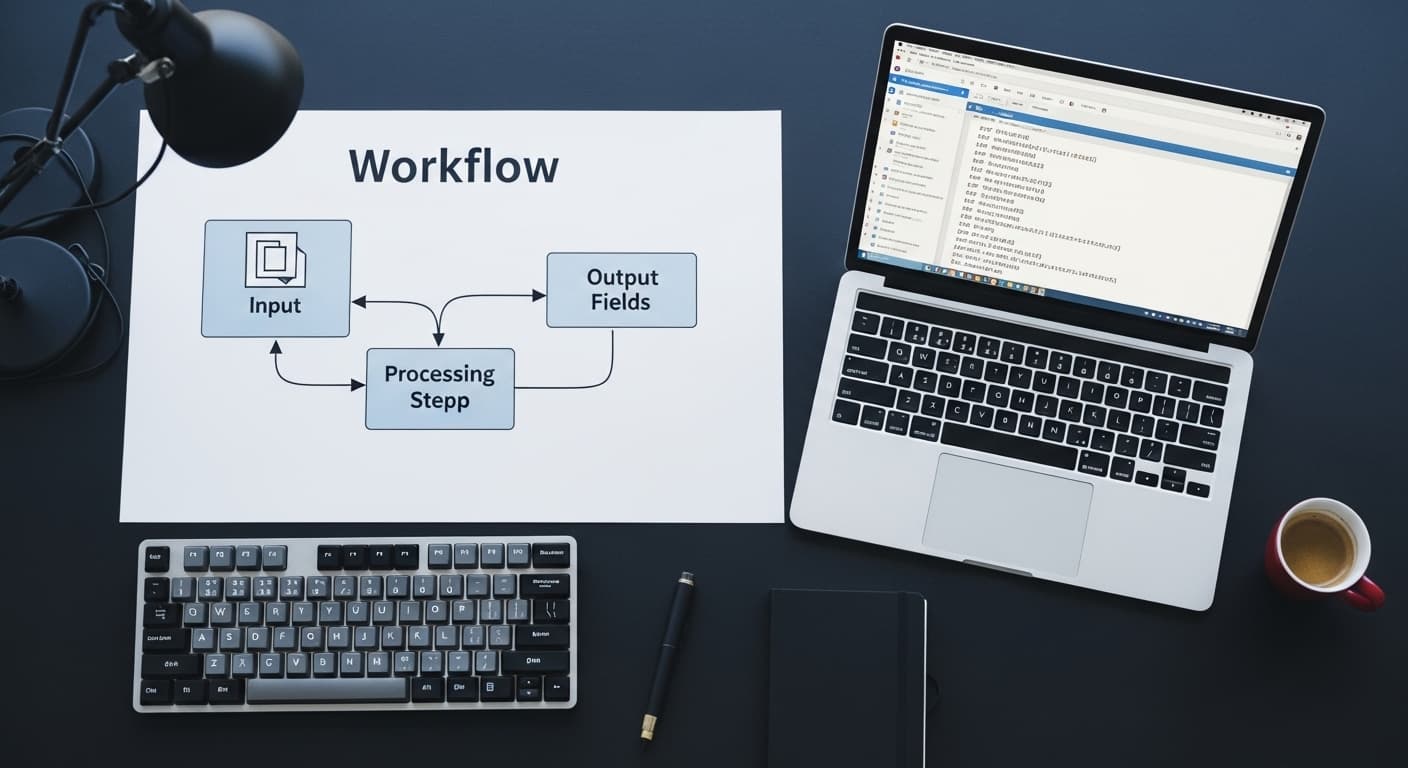
Step-by-step framework for identifying which business processes are LLM-automatable, designing the pipeline architecture, selecting orchestration tools (LangChain, n8n, custom), and building validation layers that make outputs production-safe.
Scale Your Project
Ready to build high-performance software? Our experts in New York handle the technical heavy lifting so you can focus on growth.
Get a Free Consultation